




Base report
Combined Analysis
500 credits
AutoCluster, AutoTree, AutoKinship, AutoSegment, opposite-segment views, chromosome painting and available haplogroup context in one connected report.
Available outside the free tier.
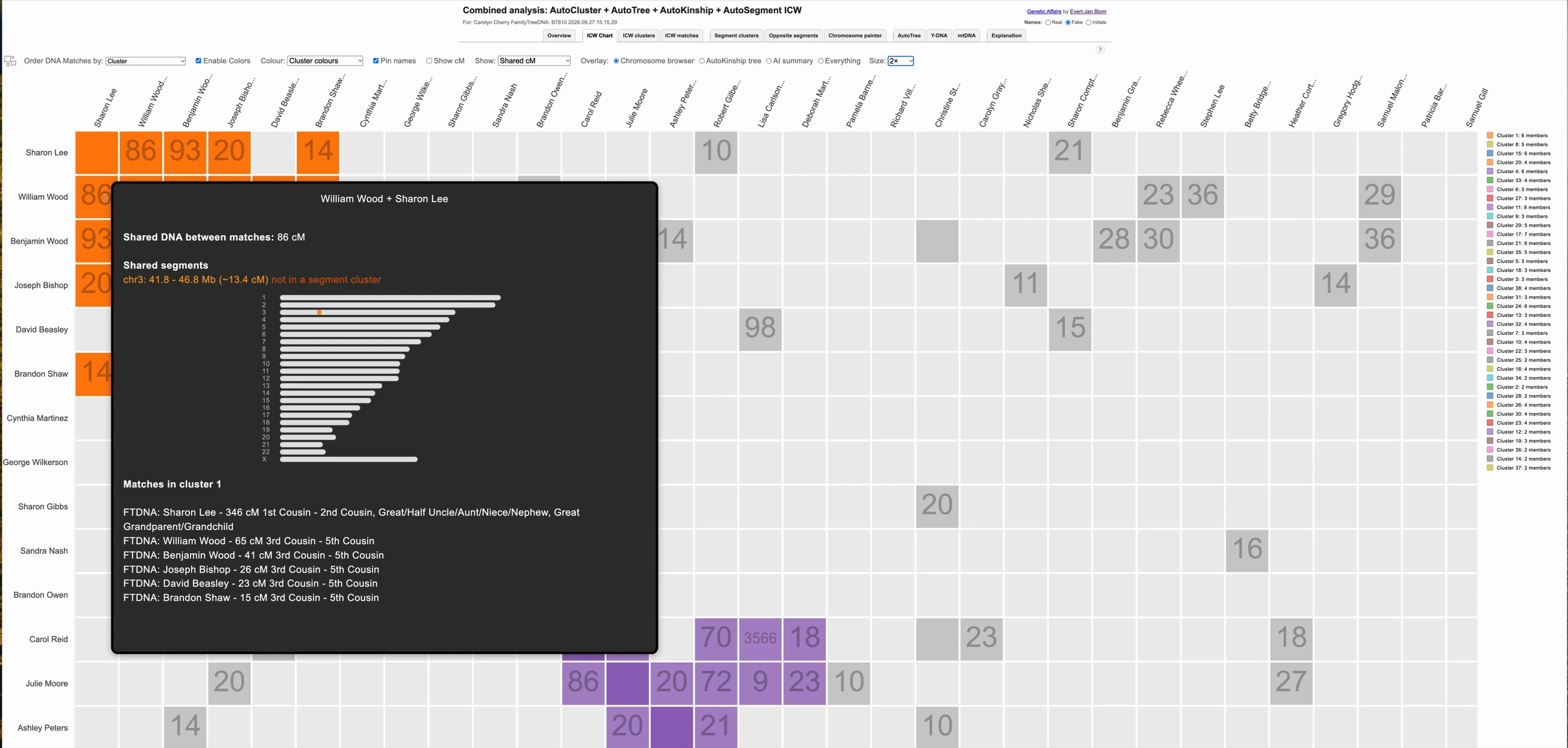
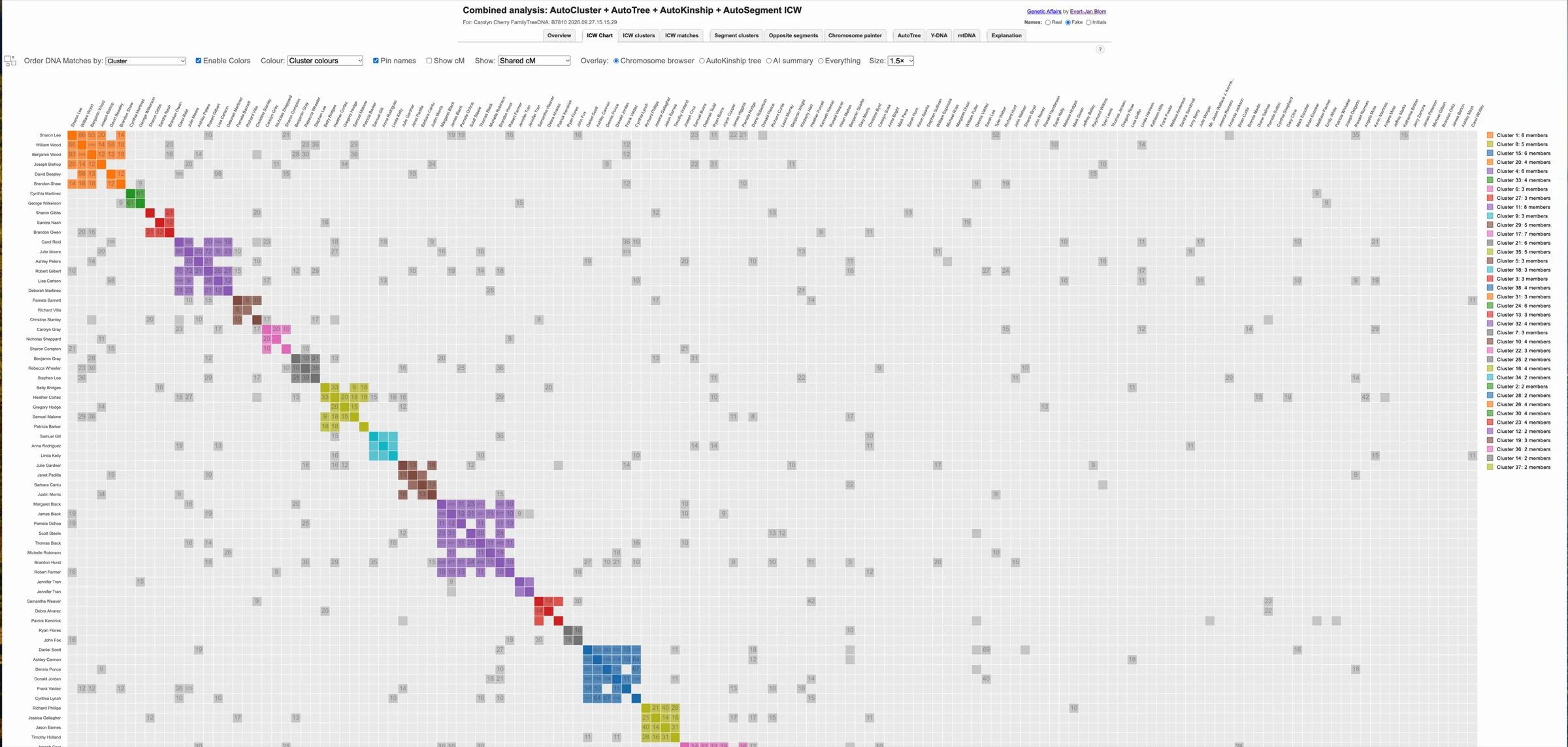
These examples use fake demonstration data and aliases.
Explore the AutoCluster chart, shared-cM heat map and linked cluster and match tables.
Use AutoTree to compare available family trees and investigate shared ancestor connections.
Review AutoKinship relationship-tree hypotheses built from shared DNA amounts.
Compare AutoSegment groups and opposite-side segment patterns alongside shared-match evidence.
Expand chromosomes, spotlight matches and clusters, and inspect the evidence behind a segment.
Explore available Y-DNA and mtDNA information alongside your matches and clusters.
Add per-cluster written reports and a whole-kit overview for 250 additional credits.
Download and unzip the report, then follow its linked views in your browser.
Follow the full user guide and use the included Cluster Auto Painter exports in DNA Painter.
From your FamilyTreeDNA profile, start an analysis and choose Combined Analysis. Review total shared cM and the available match-selection options.
The base report costs 500 credits. Add AI for 250 additional credits if you want written cluster reports and an overview: 750 credits in total.
Complete the sign-in and verification steps, check the cost summary and run the analysis. When ready, download and unzip the full report before opening its main HTML file.
Read a summary of a cluster’s matches, common ancestors, segments and predicted relationships, with suggested directions for further research.
Review the clusters with promising ancestral leads and the evidence behind those suggestions before deciding where to focus.
AI summaries can contain errors. Treat proposed ancestors and relationships as hypotheses and confirm them with documentary research and genetic evidence. Read the validation guide.
Match names are replaced with neutral labels before the AI briefing is sent to the language model, then restored in the finished report.
The AI addition costs 250 credits on top of the 500-credit Combined Analysis. Combined Analysis is available to customers outside the free tier; the AI addition requires an active subscription.
Base report
500 credits
AutoCluster, AutoTree, AutoKinship, AutoSegment, opposite-segment views, chromosome painting and available haplogroup context in one connected report.
Available outside the free tier.
Optional addition
+250 credits
Add per-cluster written analysis and a whole-kit AI overview to your Combined Analysis.
750 credits total with Combined Analysis.
Active subscription required.
Find answers about the report, the AI addition, access and interpretation. For step-by-step instructions, see the Combined Analysis documentation.
The base Combined Analysis costs 500 credits. The optional AI addition costs another 250 credits, making 750 credits in total. Combined Analysis is available to customers outside the free tier; the AI addition requires an active subscription.
Combined Analysis runs on FamilyTreeDNA data. Available results depend on your DNA matches, linked family trees, segment data and haplogroup information.
Shared-match clustering, segment analysis and DNA-based relationship hypotheses can be useful without complete family trees. AutoTree’s common-ancestor findings depend on the trees available for your kit and matches.
They are hypotheses to investigate. Confirm proposed connections with documentary records and independent genetic evidence.
Yes. The 500-credit Combined Analysis provides the connected analysis views. Choose the AI addition when you also want per-cluster written reports and a whole-kit overview.
Combined Analysis is available to customers outside the free tier and follows the same match limits as the other members-area analyses: up to 200 analyzed matches without an active subscription and up to 400 with one. It is not available in the free tier, which allows up to 50 matches for the other analyses. These are match-count limits, separate from credit balances; settings and available data can result in fewer matches.
Yes. The online documentation includes the complete Combined Analysis guide: setup, total shared cM, report navigation, chromosome painting, AI interpretation and troubleshooting. Open the documentation